Top 10 Alight Motion Shake Effects Download For Free 2026
Want Viral Edits? Shake Effects Make Your Videos Stand Out. Creating engaging videos for platforms like TikTok and YouTube is not easy when your edits lack motion and energy. Many beginners struggle to make their content look dynamic, which results in low engagement and boring visuals. That is why using shake effects in Alight Motion has become one of the most effective ways to instantly improve video quality. These presets add movement, impact, and rhythm to your edits without requiring advanced editing skills.
What Are Alight Motion Shake Effects?
Alight Motion shake effects are pre-made animation presets that add camera movement and vibration to your videos. These effects are designed to create energy, realism, or dramatic impact depending on how they are used in your project. They are widely used in reels, music edits, cinematic videos, and social media content to grab attention and keep viewers engaged throughout the video.
Top 10 Alight Motion Shake Effects
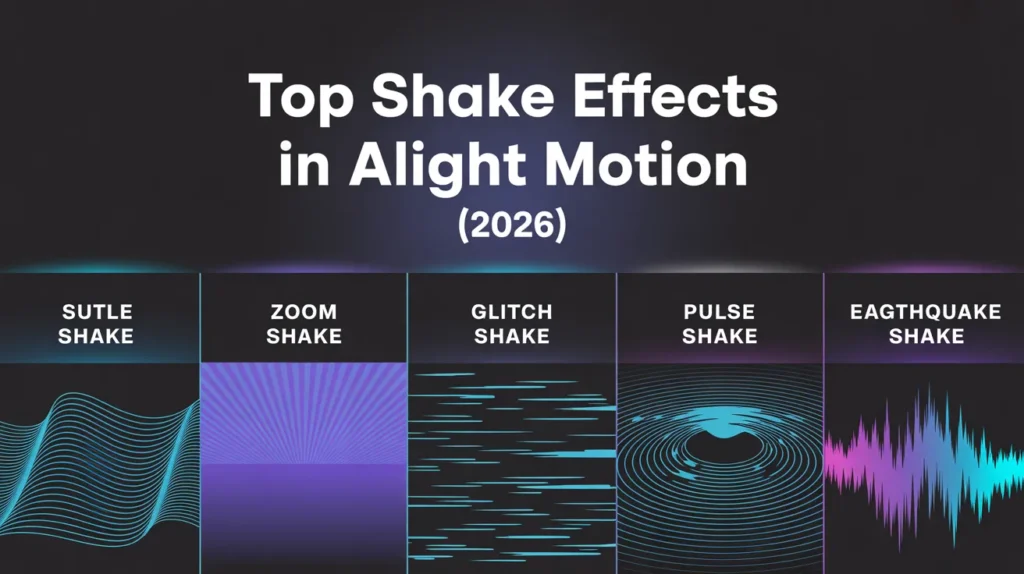
1. Subtle Camera Shake
Subtle camera shake is perfect when you want to add realism without making the video too dramatic. It creates a light handheld effect that makes your footage feel natural and cinematic. This type of shake works best for storytelling videos, vlogs, and smooth transitions where the focus is on maintaining a clean and professional look.
2. Screen Shake
Screen shake is a strong and noticeable effect that shakes the entire frame. It is commonly used in action scenes or dramatic moments where you want to create a sense of impact. When used correctly in Alight Motion, it can instantly grab attention and make your video feel more powerful.
3. Zoom Shake
Zoom shake combines fast zoom movements with shaking effects to create an energetic visual style. This effect is widely used in social media edits and transitions because it adds speed and excitement to the video. It is especially effective when switching between clips quickly.
4. Glitch Shake
Glitch shake mixes shaking motion with digital distortion effects, giving your video a modern and futuristic appearance. It is often used in gaming edits, tech content, and trendy videos. This effect works best when combined with fast cuts and sound effects.
5. Old Film Shake
Old film shake adds a vintage and nostalgic feel to your content. It replicates the shaky motion of old cameras, making your video look like classic film footage. This effect is ideal for storytelling and cinematic edits where you want to create an emotional connection.
6. Wobble Shake
Wobble shake creates a smooth side-to-side motion that gives your video a creative and flowing look. It is less intense compared to other shake effects, making it suitable for aesthetic edits and smooth transitions without overwhelming the viewer.
7. Pulse Shake
Pulse shake works like a heartbeat by expanding and contracting rhythmically. It is perfect for music videos where you want your visuals to match the beat. When synced properly, it enhances viewer engagement and makes your edits feel more alive.
8. Stomp Shake
Stomp shake is a heavy and impactful effect that adds strong motion to highlight key moments. It is commonly used during beat drops or intense transitions. This effect should be used carefully to avoid making the video feel too aggressive.
9. Earthquake Shake
Earthquake shake simulates intense vibrations similar to an earthquake. It is best suited for dramatic scenes or action content where you want to create tension and excitement. Because of its intensity, it should be used in limited sections of the video.
10. Beat Sync Shake
Beat sync shake is one of the most popular effects in 2026. It automatically aligns shake movement with music beats, creating a professional and rhythmic editing style. This effect is widely used in viral edits on social media platforms.
Shake Effects Comparison Table
| Effect Name | Intensity | Best Use |
| Subtle Shake | Low | Cinematic videos |
| Screen Shake | High | Action scenes |
| Zoom Shake | Medium | Transitions |
| Glitch Shake | Medium | Trendy edits |
| Old Film | Low | Vintage style |
| Wobble | Medium | Smooth motion |
| Pulse | Medium | Music edits |
| Stomp | High | Impact moments |
| Earthquake | Very High | Dramatic scenes |
| Beat Sync | Dynamic | Reels & TikTok |
How to Download Alight Motion Shake Effects
To download shake presets, search for trusted sources such as editing communities or creator platforms. Most presets are available in XML format or QR codes. Download the file and store it on your device so you can easily import it into Alight Motion.
How to Import Shake Presets (Step-by-Step)
Open Alight Motion and create a new project. Then go to the project panel and select the import option.
Choose your downloaded XML file and import it. The preset will appear in your elements panel, where you can apply it directly to your video clips.
How to Use Shake Effects Properly
After importing, drag the preset onto your timeline and adjust its intensity and timing. Matching shake effects with music beats can significantly improve the quality of your edits.You can also combine different shake effects to create unique and creative visuals.
Pros and Cons of Shake Effects
Pros
Shake effects make videos more dynamic and engaging. They help highlight important moments and improve overall visual impact. They are easy to use and suitable for beginners.
Cons
Overusing shake effects can make videos look messy or unprofessional. High-intensity effects may reduce clarity if not used properly.
Pro Tips for Best Shake Effects
- Sync shake effects with music beats
- Use subtle shake for cinematic videos
- Avoid overusing heavy effects
- Combine shake with zoom for better results
- Always preview before exporting
Common Mistakes to Avoid
Many beginners use too many shake effects, which makes the video look cluttered. Another common mistake is not syncing effects with audio, reducing the overall impact. Always use shake effects strategically to maintain a clean and professional look.
Conclusion
Using the top 10 Alight Motion shake effects in 2026 is one of the easiest ways to improve your video editing quality. These presets help you create engaging and professional videos quickly without complex editing. By using shake effects correctly inside Alight Motion, you can make your content more attractive and increase viewer engagement on social media platforms.